Get an Exclusive Preview of the World's First AI Planner

Learn moreright arrow

Fashion PLM comparison

WFX vs Delogue PLM: Product Development, Sourcing & Traceability

Compare how WFX and Delogue handle product data, supplier collaboration, costing, sourcing, traceability and AI across fashion product development.

Reviewed 18 September 2026Review methodology and sources

The short answer

WFX connects fashion product development with costing, RFQs, sourcing and supplier approvals around the same style. Delogue centres product development on a shared product record, supplier collaboration and traceability. The clearest difference is how each platform connects product information with sourcing decisions, documentation and downstream systems.

Consider WFX PLM when

Your product-development and sourcing teams need tech packs, costing, RFQs, samples and supplier approvals connected to the same product record.

Consider Delogue when

A shared product record, direct supplier collaboration and traceability within the product-development workflow are central to your requirements.

At a glance

How do WFX and Delogue PLM compare?

WFX keeps product development closely connected with costing and sourcing decisions. Delogue puts the shared product record, supplier collaboration and traceability at the centre of its product-development workflow.

WFX vs Delogue: where to focus your evaluation

Comparison pointWFX PLM Delogue
Primary workflow
WFX PLM

Product development connected with costing, sourcing and supplier decisions

Delogue

Product development built around a shared product record and supplier collaboration

Connected operations
WFX PLM

WFX PLM can connect with separately scoped ERP, planning and manufacturing solutions in the WFX suite

Delogue

Delogue describes integrations that connect product data with the wider technology stack

AI focus
WFX PLM

Product search, visual search, AI moodboards, design concepts and product-data tasks

Delogue

Delogue publicly describes its AI Knowledge Base as a conversational assistant for tutorials, workflows and customer guidance

This comparison separates published product information from WFX's buyer-fit guidance.

See how WFX connects product development with sourcing

Bring one style and one supplier scenario to the demo.

Book a WFX PLM Demo

Main difference

What is the main difference between WFX and Delogue PLM?

WFX keeps the style connected with costing, RFQs, samples and sourcing decisions as development moves forward. Delogue places more emphasis on keeping product data, supplier communication and traceability together in the development workflow.

WFX PLM

Connect development with sourcing decisions

WFX brings product data, costing, RFQs, sample approvals and supplier collaboration into the fashion product-development workflow. Use the demo to follow a product change through its sourcing and cost implications.

Delogue

Keep the product record and supplier work together

Delogue describes a structured product record that keeps product information, supplier collaboration and traceability connected through development. Test how a supplier question, certificate or approval is recorded.

Compare the same workflow in both systems. Use one style, one material change and one supplier question to see where information stays connected and where manual work remains.
Fashion workflows

How do WFX and Delogue manage product data, suppliers and traceability?

Use the same style and supplier scenario in both systems. Follow the product record, technical details, sample feedback and supporting documentation as the product changes.

Published product-development capabilities

Comparison pointWFX PLMDelogue
Product record and libraries
WFX PLM

BOMs, POMs, measurements and product/material libraries

Delogue

Structured style records with product specifications, images, materials, supplier communication and approvals

Tech packs
WFX PLM

Digital tech packs connected with product-development information

Delogue

Tech-pack and product-development information managed within the product record

Supplier collaboration
WFX PLM

Vendor Portal, RFQs, comments and approvals

Delogue

Suppliers collaborate directly in the platform and product communication stays connected

Traceability and compliance
WFX PLM

Confirm the traceability and compliance scope included in the proposed WFX solution

Delogue

Traceability features connect documentation, supplier information and product decisions with development

Integrations
WFX PLM

Open REST APIs and integration options across the fashion technology stack

Delogue

Delogue describes integrations with ERP, design, e-commerce and other tools

Confirm data direction, access rights, implementation work and integration responsibility in each proposal.

AI comparison

How does WFX AI compare with Delogue AI?

WFX applies AI across creative and product-data workflows. Delogue's reviewed AI information focuses on helping users understand tutorials, workflows and product guidance through its AI Knowledge Base.

AI tasks across product development

Comparison pointWFX PLMDelogue
Product discovery
WFX PLM

Product search and visual product search

Delogue

The AI Knowledge Base answers questions about Delogue tutorials, workflows and guidance

Creative development
WFX PLM

AI moodboards and design concepts

Delogue

The reviewed AI source focuses on conversational support; confirm any creative AI included in your plan

Technical product data
WFX PLM

PDF tech-pack reading and attribute tagging

Delogue

Equivalent document-to-structured-product-data functionality is not established by the reviewed public AI information

AI evaluation
WFX PLM

Test the live WFX capabilities included in your proposed scope

Delogue

Ask Delogue to demonstrate the current AI functions included in your proposed plan

A support assistant, a design concept and structured product data solve different problems. Test the AI task your team expects to use and compare the output, controls and remaining manual work.

Supplier and traceability workflow

How should you test supplier collaboration and traceability?

Bring the same product scenario to both demos. Use a real supplier interaction and documentation requirement to see how product decisions remain connected.

01

Start with one complete style

Create or review a style with its materials, measurements, BOM and attachments.

02

Follow one supplier decision

Ask a supplier question, change a material or record an approval and see where the history remains visible.

03

Check the traceability trail

Add or review a certificate or supporting document and see how easily it can be connected back to the product, material and supplier.

Implementation

How should you compare WFX and Delogue rollout expectations?

WFX PLM

Typical rollout

8 to 12 weeks

WFX's typical schedule depends on workflows, integrations and data. Configuration, migration and user training form part of the implementation.

Delogue

Implementation scope

Confirm with Delogue

Ask Delogue to provide a schedule covering product records, supplier access, integrations, data preparation and user training for the proposed scope.

Compare equivalent scope before comparing timelines. A focused PLM rollout and a wider implementation involving integrations, migration and multiple teams may cover different amounts of work.

Pricing and scope

What should a WFX vs Delogue proposal include?

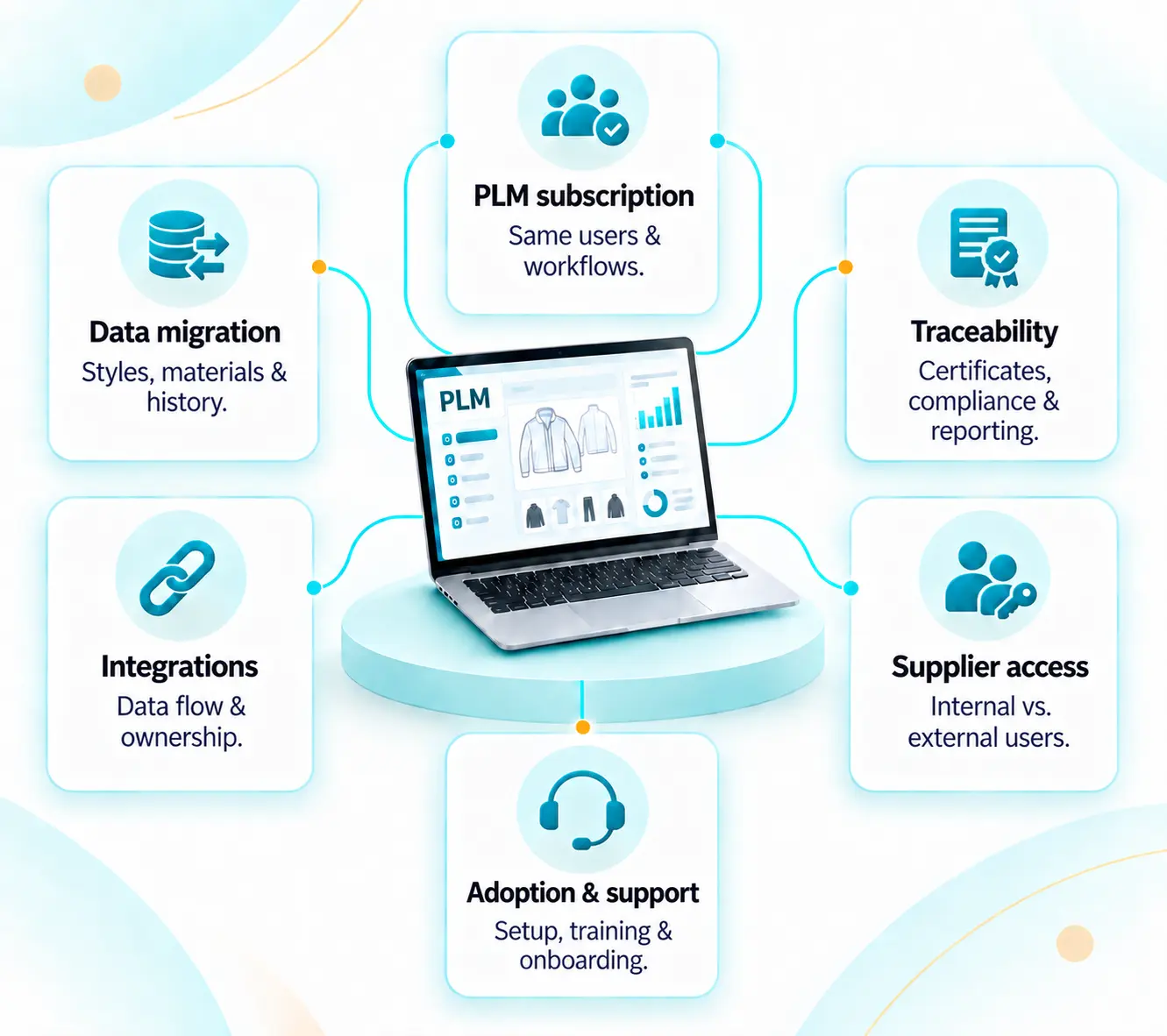
Compare the same requirements rather than software price alone. Separate subscription, implementation, supplier access, data migration and integration work so the two proposals cover equivalent scope.

WFX vs Delogue

PLM subscription

Compare the same internal user count and required product-development workflows.

Supplier access

Separate internal users from suppliers and external collaborators.

Data migration

List styles, materials, documents, history and validation requirements.

Traceability requirements

Specify the certificates, documentation, compliance fields and reporting your team needs.

Integrations

List every connected system, the direction of data exchange and who will implement and maintain each connection.

Adoption and support

Include configuration, training, onboarding, support and future changes.

Best-fit decision

When should fashion teams consider WFX or Delogue?

WFX may suit teams that want product development closely connected with costing, sourcing and supplier decisions. Delogue may suit teams that put a shared product record, direct supplier collaboration and traceability at the centre of their PLM requirements.

Consider WFX PLM when

  • Product development needs to stay connected with costing, RFQs and supplier approvals.
  • Design, product-development and sourcing teams need to work from the same style information.
  • You want to evaluate AI tasks such as product search, visual search, tech-pack data and design concepts.
  • Your future scope may extend into other separately scoped WFX solutions for planning, ERP or manufacturing.
Consider Delogue when

  • A shared product record is central to how teams and suppliers work together.
  • Supplier communication and approvals need to remain connected with the style.
  • Traceability, documentation and compliance need to sit inside product development.
  • You want to assess Delogue's integration model alongside your existing systems.

Demo checklist

What should you test in a WFX vs Delogue demo?

Use one style, one supplier question, one material change and one traceability requirement. Follow the information after every change rather than comparing feature lists alone.

01

Start with the same style

Use the same product information, BOM and source files in both demonstrations.

02

Add the material context

Show where materials, specifications and related documents are stored.

03

Involve the supplier

Test access, comments, notifications and approval ownership.

04

Change one product detail

Update a material, measurement or construction note.

05

Check the traceability trail

Find the related supplier, document and product decision history.

06

Review the handoff

Identify what information moves to sourcing or downstream systems and what still requires manual work.

PLM Buyer Guide

Build your PLM shortlist around the workflows that matter

Use the WFX PLM Buyer Guide to define requirements, compare vendor responses and prepare the same product scenario for both demonstrations.

Requirement planning Vendor scorecardDemo preparation

For fashion product, sourcing and technology teams

Get the PLM Buyer Guide →

Use it alongside this comparison.

Frequently asked questions

WFX vs Delogue PLM FAQs

Editorial review

Prepared by WFX

Official WFX and Delogue product information reviewed on 18 September 2026. Published product facts are separated from WFX's buyer-fit guidance and suggested demo exercises.

Last reviewed: 18 September 2026

Sources and comparison method

This comparison uses published product information from WFX and Delogue. If a capability is not described in a reviewed public source, we do not treat that as proof that the product cannot support it. Confirm current features, pricing, implementation and package scope directly with each vendor.

  1. 1.WFX Fashion PLM
  2. 2.Delogue Fashion PLM platform
  3. 3.Delogue pricing
  4. 4.Delogue AI and PLM
  5. 5.Delogue partner and integration example

WFX publishes this comparison as one of the vendors evaluated. Delogue is a trademark of its respective owner. WFX is not affiliated with Delogue.

See your product workflow in WFX PLM

Bring one style, one supplier question and one material change. See how WFX connects product information, costing and sourcing decisions as the style moves through development.