For designers
Tag a sketch or render in seconds
Get every attribute right from the first image
Spend time on design, not data entry
Turn Inspiration into Ideas with WFX AI Moodboard
Learn more about Turn Inspiration into Ideas with WFX AI Moodboard
An AI attribute tagger that sits inside WFX Fashion PLM. Upload one image of the garment. WFX AI reads it, fills in the attributes, and tags the next item the same way it tagged the last one.
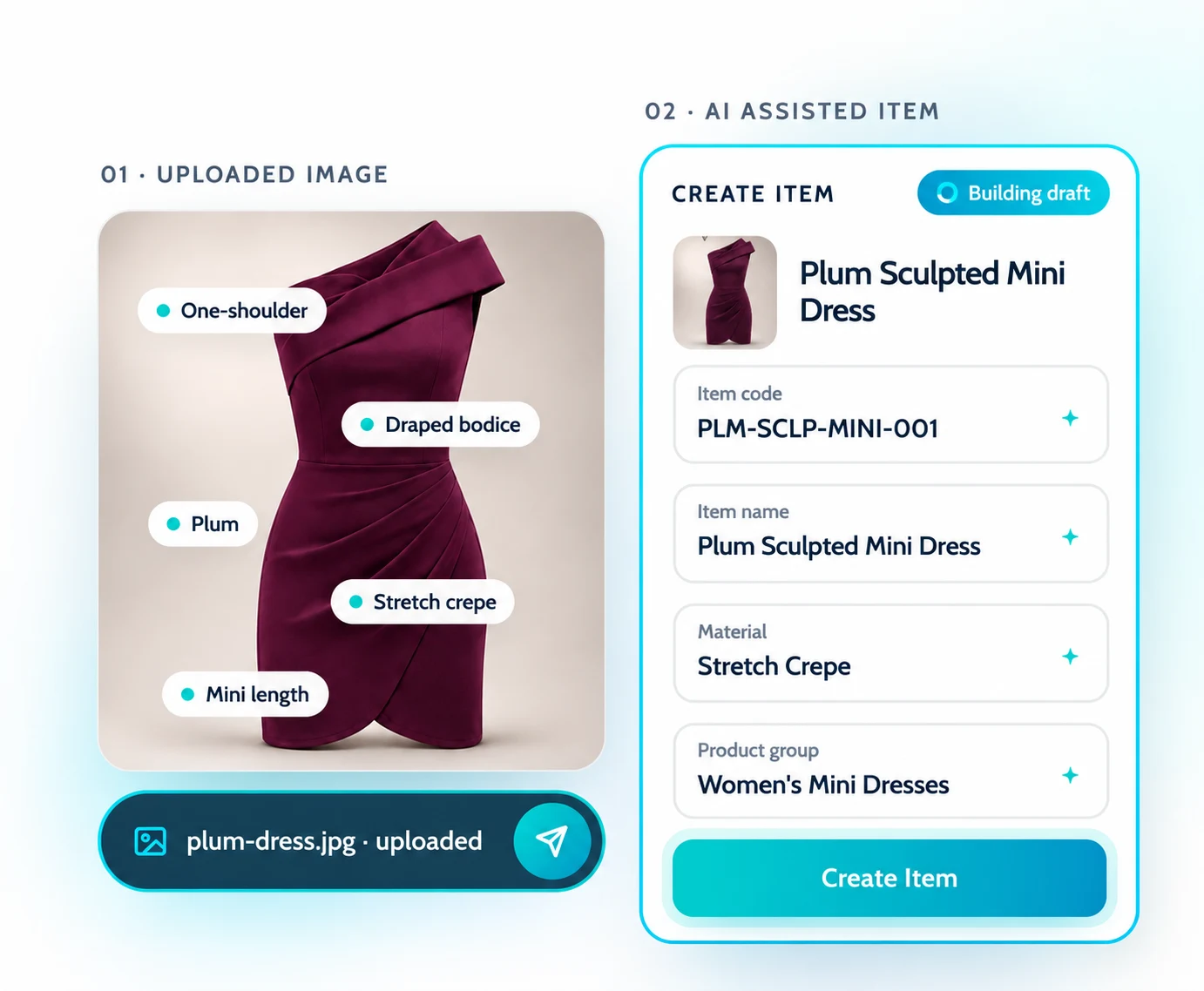
AI attribute tagging lets you tag products in seconds. Today that means scrolling dropdowns for silhouette, then neckline, then colour, then fabric, on every single style. Here you upload the image instead. AI reads the garment, matches what it sees to your attribute lists and fills the fields in.
It is not a separate tool you have to log into. It runs inside WFX Fashion PLM, on your attribute masters, against the collection and season the item already belongs to. Image in, tagged item out, without leaving PLM.
Upload the image. Watch AI map the attributes. Fill in what it could not see, then save. All of it on one screen.
One intelligent flow to read the product, tag every attribute, and keep the item consistent, without leaving WFX PLM.
Drop in a photo, sketch or render of the style.
plum-dress.jpgAI reads the garment and matches what it finds to your attribute masters, dependencies included.
7 fields mappedSilhouette, neckline, colour, material, construction. Tagged with the values your PLM already uses.
80% completeAI surfaces required attributes that need your input or validation.
2 fields flaggedReview the AI tags and save them to the item with confidence.
→ PLM-SCLP-MINI-001Every attribute, master and dependency you already own is applied automatically, right beside the image you’re tagging.
Get a 30-minute walkthrough of AI Attribute Tagging with your own product images and PLM setup.
Product images go in. Clean, consistent items come out, with attributes pulled from your masters and written straight back to them.
Attributes picked by hand from long lists. Two people tag the same dress two different ways, and the record ends up split across a spreadsheet, an image folder and PLM.
Images, AI tags, attribute masters and collection context in one place. Every tag lands back on the item record.
Because tags live inside PLM, design, product and merchandising all work from the same clean attributes, the same masters and the same collection.
It is an AI feature in WFX PLM that reads a product image and tags it with attributes. AI detects them, maps them to your configured attribute masters and prepares the tags for your review.
A clear product photo works. So does a flat sketch or a 3D render. The clearer the garment, the more attributes AI can tag confidently.
Yes. Values are mapped to your configured fields, masters and dependencies, so tags follow the same rules as attributes picked by hand.
AI flags required attributes that need your input or validation, such as season or size range, before you save.
No. AI suggests the tags. You review them, make changes and save them to the item yourself.
Every attribute, tag and image stays linked to your styles in WFX PLM, with just a click.