WFX Apparel ERP for Large Manufacturers WFX Apparel ERP for Large Manufacturers

Key Challenges Large Apparel Manufacturers Face and How Apparel ERP Helps Solve Them

21 mins read •

Running a large garment manufacturing business is complicated enough when everything goes to plan. Add a late fabric delivery, a buyer changing an order or a factory running behind schedule, and the problems can spread quickly. 

One factory may be short of materials while another has unused stock. Production teams are working against different deadlines. The head office needs an update, but the latest figures are sitting in spreadsheets maintained by separate departments. 

For manufacturers running several factories, this is where everyday coordination starts getting difficult. 

The pressure isn’t coming from operations alone. According to The State of Fashion 2026 by McKinsey and The Business of Fashion, 76% of surveyed fashion executives expected trade disruptions and rising duties to affect the industry in 2026. 

Manufacturers have to deal with these uncertainties while keeping production costs under control and meeting buyer commitments. 

Apparel ERP helps by connecting orders, materials, purchasing, inventory, production and finance. The idea is straightforward: people working on the same order should be able to access consistent information, even when they are based at different factories or offices. 

But an ERP system is only useful if it can handle the way garment manufacturing actually works. That’s where apparel-specific capabilities matter. 

What Are the Biggest Challenges Facing Large Apparel Manufacturers?

The biggest challenges for large apparel manufacturers are managing multiple factories, production planning, material shortages, inventory accuracy, rising costs, delivery deadlines and disconnected business systems. 

These problems are rarely separate. A fabric shortage can hold up production, leave sewing lines idle and affect a shipment date. If purchasing, production and merchandising have different information, finding the cause can take almost as much effort as fixing it. 

Apparel ERP software helps manufacturers manage these challenges by connecting customer orders, materials, production, inventory and financial information in one system.

Manufacturing challenge  How Apparel ERP helps 
Limited visibility across factories  Brings order and production information from different units together 
Complex production planning  Connects orders, materials and production activities 
Material shortages  Calculates requirements and tracks pending purchases 
Inventory inaccuracies  Tracks stock across warehouses and factories 
Rising manufacturing costs  Connects budgets, purchasing and actual expenses 
Order delays  Tracks order changes and delivery milestones 
Disconnected systems  Reduces duplicate data entry and manual reporting 

Here’s where these problems tend to appear and what manufacturers should expect from an ERP system. 

1. Managing Multiple Factories Without a Clear View of Operations

A manufacturer running ten factories doesn’t necessarily have ten similar operations. 

One facility may specialize in woven shirts, another in knitwear. Some orders are produced in-house, while certain processes are sent to subcontractors. Each location has its own materials, production commitments and daily output. 

Head-office teams need to know what’s happening across these units. 

That becomes difficult when factory managers send separate Excel reports and someone has to consolidate them before management can review the numbers. 

The report might show yesterday’s production. It may not show that fabric for an urgent order has been delayed or that another factory has capacity available. 

When an order starts falling behind, those details matter. 

How Apparel ERP Helps Manage Multiple Factories 

Apparel ERP brings production orders, inventory and other operational records from different units into a shared system. 

Management can review what’s allocated to each factory, how much work has progressed and where an order needs attention. 

WFX Apparel ERP Production Management supports production quantity allocation across multiple units, changes to allocation plans and tracking at different production stages. It also covers in-house and outsourced manufacturing activities. 

Suppose one factory is unable to finish an order on schedule. The head office can review production commitments at other locations before deciding whether some of the work can be transferred. 

There are still practical questions to resolve. Does the other factory have the required machinery? Are materials available? Will the transfer affect costs or delivery? 

ERP doesn’t answer every one of those questions automatically. It does give the team a more reliable starting point than collecting separate factory reports. 

For manufacturers handling production across multiple facilities, that visibility is particularly useful when orders need attention.

2. Keeping Production Plans on Track When Orders Keep Changing

A production schedule that looks workable on Monday may already need revising by Wednesday. 

A buyer increases an order quantity. Fabric for another style is delayed. One sewing line produces less than expected, and an urgent order needs to be brought forward. 

This is familiar in garment manufacturing. The difficulty is that every change affects other activities. 

An order isn’t simply a quantity of garments. It has styles, colors, sizes, material requirements, production processes and delivery dates. The plan has to account for all of them. 

If planning happens in Excel, one person may update the schedule while purchasing and production continue working with an earlier version. 

The result is repeated follow-ups, conflicting reports and time spent checking which plan is correct. 

How Apparel ERP Helps With Production Planning 

Apparel ERP connects customer orders, material requirements and production work orders. 

WFX Apparel ERP supports production allocation and tracking across manufacturing units. That gives planners access to the operational information behind each order. 

Detailed scheduling is a different requirement. 

For manufacturers that need to plan capacity across factories, lines and resources, WFX Plan provides dedicated production planning capabilities. 

WFX Plan supports capacity planning, production scheduling, material-readiness checks and replanning when conditions change. 

Take a factory that’s already committed to several urgent orders. Before adding more work, planners need to know whether the available capacity can accommodate it and whether the required materials will arrive on time. 

A connected ERP and planning setup helps teams assess those requirements together rather than checking them separately. 

ERP manages the wider manufacturing operation. Production planning software deals more closely with when and where the work should happen. 

For large manufacturers, both can be relevant.

3. Material Shortages That Hold Up Production

A factory may have enough fabric for an order and still be unable to start sewing. 

The missing item might be a particular button, zipper or lining. It could be a trim that was approved late or a purchase order that hasn’t arrived. 

One missing component can delay an entire production order. 

Now multiply that problem across hundreds of styles. Each style has its own bill of materials, consumption requirements and production schedule. 

Purchasing teams need to know what’s required, what’s already available and which materials are still on order. 

Buying too little risks delaying production. Buying too much leaves working capital sitting in the warehouse. 

How Apparel ERP Helps Prevent Material Shortages 

Material Requirements Planning, or MRP, helps manufacturers calculate material needs against production orders and available inventory. 

Instead of purchasing separately for every order, teams can review demand across multiple orders and check what is already in stock. 

For example, three factories may need the same fabric for different orders. The purchasing team should be able to see the combined requirement before deciding how much additional material to buy. 

WFX Material Planning supports material requirement calculations, SKU-level demand consolidation, allocation of available stock and purchase order preparation. 

Teams can also track material receipts and pending quantities. 

For purchasing managers, the benefit is knowing what needs to be ordered without overlooking stock the business already has. 

Still, MRP depends on accurate bills of materials, inventory records and purchase information. If those inputs are wrong, the calculations will be wrong too. 

Manufacturers should check how an ERP system handles changes to material requirements after an order has been confirmed. That’s often when purchasing decisions become more difficult.

4. Managing Inventory Across Factories and Warehouses

Having plenty of inventory is not the same as having the right materials available for production. 

A factory may be short of fabric while the same material sits unused at another warehouse. Stock may be reserved for an order that’s been postponed. In some cases, the system quantity doesn’t match what’s physically available. 

These situations can lead to unnecessary purchases, production delays and excess stock. 

For a manufacturer with several factories, warehouse locations and subcontractors, finding the right material can become a bigger task than expected. 

How Apparel ERP Improves Inventory Management 

Apparel ERP records materials as they are received, transferred, issued to production and dispatched. 

WFX Inventory Management supports multiple warehouses, roll-wise and lot-wise fabric tracking, stock transfers and reorder levels. 

That level of detail matters in garment manufacturing. 

Two fabric rolls may share the same basic specification but belong to different lots. A production order may require material from an approved lot or a particular shade batch. 

Knowing that 2,000 metres of fabric exists somewhere in the business isn’t enough. The team needs to know which fabric is available and whether it can be used for the order. 

Before purchasing more material, stores and procurement can check recorded stock at other locations and assess whether a transfer is possible. 

The software still needs disciplined warehouse processes. If receipts and issues aren’t recorded properly, even a good ERP will show unreliable stock. 

For manufacturers, accurate inventory records are just as important as the software used to manage them.

5. Controlling Manufacturing Costs Before Order Margins Shrink

An order can look profitable when the cost sheet is approved. 

That doesn’t mean it will stay profitable. 

Fabric prices may rise after confirmation. Actual consumption might exceed the estimate. Subcontracting charges can change, and additional production expenses may appear when an order is delayed. 

Each difference affects the original costing. 

For manufacturers handling large order volumes, even small differences can add up. 

The problem is often timing. Merchandising prepares the cost sheet, procurement handles purchases and finance reviews expenses. If the information sits in separate systems, the full cost difference may only become clear when the order is finished. 

By then, there may be little room to correct it. 

How Apparel ERP Helps Control Production Costs 

Apparel ERP connects costing, budgets, purchasing and related financial transactions. 

WFX Costing and Budgets supports style-level costing, budget management, cost and margin exception approvals, and reconciliation of material requirements against cost sheets. 

Suppose fabric prices increase after an order is confirmed. 

The purchasing team needs to know whether the revised price exceeds the approved budget. Finance and merchandising may also need to review the effect on the expected margin. 

When costing and purchasing information are connected, those differences are easier to identify while the order is still active. 

ERP cannot stop suppliers from increasing prices or prevent every production overrun. The value is in seeing the financial impact early enough to make a decision. 

For manufacturers operating several factories, it’s also worth checking how the system handles unit-wise costs, intercompany transactions and outsourced production charges.

6. Meeting Delivery Dates for Multiple International Buyers

A large garment exporter may be producing for several international buyers at the same time. 

Each has different specifications, quantities, approval processes, shipment dates and documentation requirements. 

Then a buyer changes an order. 

Perhaps the quantity increases. A shipment needs to be split between two destinations, or a product specification changes after materials have already been purchased. 

Merchandising receives the request, but production and procurement also need the revised information. 

If one department continues working from the original order, the factory can end up purchasing the wrong quantity or planning against a delivery date that no longer applies. 

How Apparel ERP Helps With Buyer Orders 

Apparel ERP keeps customer order information, revisions and delivery schedules in a shared system. 

WFX Customer Order Management supports order revisions, tracking, multiple delivery schedules and shipment destinations. 

WFX Time and Action Management helps teams follow important activities and milestones. 

Consider a fabric approval that’s running late. 

The merchandising team can identify the delayed activity and check which subsequent tasks may be affected. Production can then review whether cutting and sewing dates need to change. 

This doesn’t guarantee that every order will ship on time. Buyers can still make late changes, and suppliers can still miss commitments. 

What ERP does is make order information and pending activities easier for the relevant teams to follow.

7. Disconnected Systems That Make Reporting Harder Than It Should Be

Many large manufacturers have added software gradually as their operations expanded. 

Merchandising may use spreadsheets, purchasing another application, warehouses their own stock records and finance a separate accounting system. 

Individually, those tools may work. 

The trouble starts when information needs to move between them. 

A buyer revision doesn’t reach procurement. Inventory quantities differ between warehouse and head-office reports. Finance spends days matching transactions that should already be connected. 

Before long, employees are spending more time checking numbers than using them. 

How Apparel ERP Connects Business Operations 

Apparel ERP brings related transactions and operational information into a common system. 

An order can be linked to material requirements, purchasing, inventory movements, production and financial records. 

WFX Accounting and Financials supports manufacturing-related financial processes, including inventory-linked transactions and intercompany accounting. 

WFX also provides Business Intelligence and Visual Dashboards for operational reporting. 

This can reduce the need to rebuild the same information in different spreadsheets. 

But integration needs attention during implementation. If the company plans to retain existing accounting or warehouse software, the ERP vendor should explain how those systems will exchange information. 

A dashboard is only useful when the figures behind it can be trusted. 

Why Do Large Apparel Manufacturers Need Industry-Specific ERP?

Large apparel manufacturers need ERP software that can manage apparel-specific processes such as style-color-size combinations, fabric consumption, bills of materials, subcontracting and buyer delivery requirements. 

General ERP systems can handle purchasing, inventory, manufacturing and finance. The question for garment manufacturers is how much work is needed to make those functions support their production processes. 

Take one shirt. 

It may come in six colors and eight sizes, with different fabrics, trims and packaging requirements. The buyer changes the order quantity after confirmation. Production is split between two factories, and part of the work goes to a subcontractor. 

The ERP has to carry those details through costing, material planning, purchasing, production and delivery. 

A general manufacturing system may be able to support this process, but it could need additional configuration or industry extensions. 

An apparel-specific system is designed around garment data and workflows. 

For large manufacturers, the point isn’t to choose software simply because it’s labelled Apparel ERP. It’s to verify that the product can handle their styles, order variations, factory structures and subcontracting arrangements without creating more spreadsheet work. 

What ERP Capabilities Should Large Apparel Manufacturers Look For?

Large apparel manufacturers should evaluate ERP software based on their manufacturing processes, factory structure, inventory requirements and existing technology. 

For most large garment manufacturers, the starting point is order management, material planning, production, inventory, costing and financial control. 

ERP capability  What manufacturers should evaluate 
Apparel order management  Styles, colors, sizes, buyer revisions and delivery schedules 
Multi-factory operations  Production allocation, unit-wise tracking and intercompany transactions 
Material planning  Bills of materials, SKU-level requirements, stock availability and pending purchases 
Inventory management  Fabric rolls, lots, stock transfers and material allocation 
Production management  Work orders, production stages and subcontracting 
Costing and budgeting  Style-level estimates, purchasing budgets and actual expenses 
Financial management  Manufacturing transactions, accounting and reporting 
Production planning  Capacity, scheduling, material readiness and ERP integration 
Business intelligence  Reports across orders, factories and business units 
Scalability  Support for additional locations, users and business entities 

Treat this as a starting point, not a final feature checklist. 

Two ERP systems may both claim to support multi-factory operations but handle them differently. One might focus on shared inventory, while another may also manage production allocation and intercompany financial transactions. 

Ask vendors to demonstrate these capabilities using a real order from your business. 

What Happens When a Production Plan Needs to Change?

Consider a manufacturer operating five factories. 

A buyer wants an earlier shipment, but the factory assigned to the order is already close to full capacity. 

Moving the order to another facility sounds reasonable. Before doing that, the planning team needs to check a few things: 

  1. How much of the order has already been completed? 
  2. Which factories have capacity available? 
  3. Where are the required fabrics and trims? 
  4. Will transferring the work increase manufacturing or transportation costs? 
  5. Can the revised plan still meet the buyer’s delivery date? 

The answers come from different parts of the business. 

ERP provides order, inventory, purchasing and production information. Dedicated production planning software helps teams review capacity and scheduling options. 

WFX Plan supports this type of planning and replanning using information from connected business systems. 

The important point is to check materials and capacity before committing to a revised schedule. 

A plan that looks good on a spreadsheet is of little use if the fabric isn’t available or the receiving factory cannot take on the work. 

This is an illustrative manufacturing scenario, not a reported customer result. 

How Should Large Apparel Manufacturers Evaluate ERP Software?

A long feature list can make almost any ERP product look suitable. 

The better test is to take one of your own orders and see how the software handles it. Include the things that make your manufacturing operation difficult: multiple factories, material changes, subcontractors, order revisions and split shipments.

1. Start With Your Manufacturing Processes

Map how an order moves through merchandising, costing, material planning, purchasing, production, quality and shipment. 

Identify where people currently re-enter information or depend on manual follow-ups. 

Those are the workflows the ERP should demonstrate.

2. Test Apparel-Specific Data

Give the vendor a real style with color and size combinations, fabrics, trims, a bill of materials and more than one delivery date. 

Ask the team to process it rather than using a polished standard example. 

If the software needs custom work to handle routine apparel processes, that should be clear before the project begins.

3. Demonstrate Multi-Factory Operations

Ask how production is allocated across units, how stock transfers work and how the system handles subcontracting. 

If your business operates across countries, include the relevant financial and intercompany requirements.

4. Check Production Planning and Integration

If you already use PLM, MES, production planning or warehouse software, map how those systems will connect with ERP. 

Find out which integrations are available, which need development and who will maintain them. 

The proposed setup should be evaluated as one working system, not a collection of separate product demonstrations.

5. Compare Total Cost, Not Just Software Fees

ERP costs go beyond licensing or subscriptions. 

Include implementation, data migration, integrations, customization, training, support and ongoing maintenance. 

A lower initial quote may not remain cheaper if the project needs extensive work to support apparel-specific processes.

6. Review Implementation Experience

Ask for customer references from manufacturers with similar operations. 

A well-known customer logo is useful, but a company running five factories with outsourced processes may be a more relevant reference than a much larger business with a different setup. 

Meet the proposed implementation team and establish who will handle migration, testing, training and post-launch support.

7. Use a Real Order Revision in the Demo

Ask the vendor to demonstrate what happens when a buyer increases an existing order after materials have been purchased. 

Can the system update the order, calculate additional material requirements, reflect purchasing needs and show the effect on costing? 

Stay with the same order throughout the demonstration. 

That will tell you more than switching between separate screens showing individual features. 

For a more detailed selection process, read the WFX Guide to Selecting the Right Garment ERP Software. 

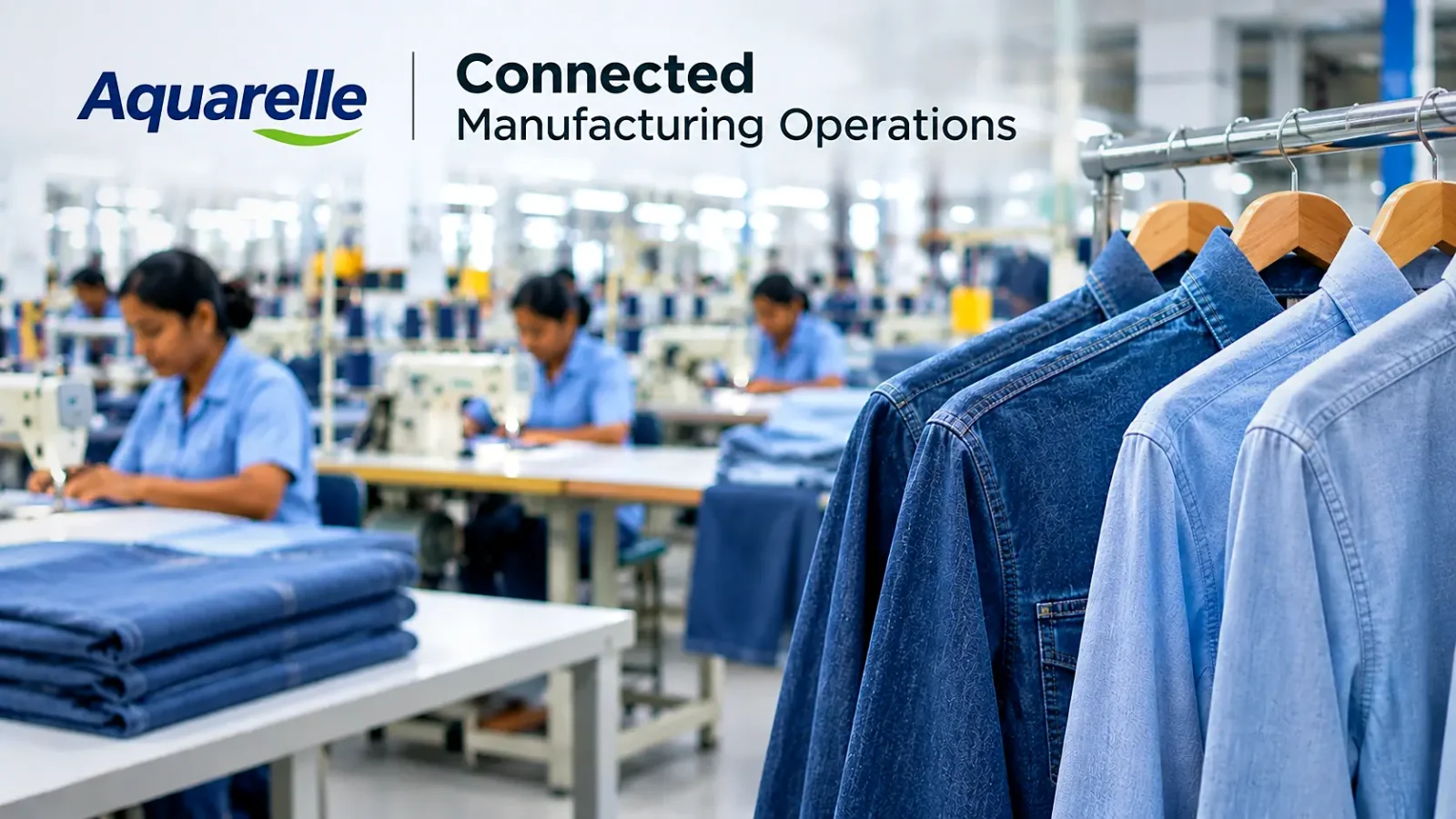
Real-World Example: How Aquarelle Connected Its Manufacturing Operations With WFX ERP

Aquarelle Connected Manufacturing Operations

Aquarelle, part of CIEL Textile, manufactures men’s casual and denim shirts for international markets. 

According to the published WFX Aquarelle customer story, the business operates at a significant scale: 

  • 7 production facilities across Mauritius, India and Madagascar. 
  • More than 12 million garments produced annually. 
  • Approximately 7,500 employees across its operations. 

At that scale, managing business information across factories and departments is a substantial task. 

What Was the Challenge? 

Before implementing WFX ERP, Aquarelle relied on Excel for important business processes. 

As the company expanded, keeping information consistent across locations became increasingly difficult. Different departments maintained their own records, creating more manual work and limiting visibility into operations. 

The business needed a system that could support its manufacturing processes while giving teams more reliable access to information. 

What Changed With WFX ERP? 

According to the published WFX customer story, Aquarelle used WFX ERP to connect procurement, inventory, production and finance. 

The implementation helped the company: 

  • Improve access to inventory information, order status and operational KPIs. 
  • Reduce manual data handling and associated errors. 
  • Standardize workflows across locations. 
  • Strengthen data security through role-based permissions and audit trails. 
  • Support growth with a more scalable business system. 

These are outcomes described in the WFX customer story. They should not be interpreted as independently measured industry benchmarks or as results every manufacturer can expect. 

Aquarelle’s experience is relevant to manufacturers managing several facilities because it shows the role of common business processes and shared information. 

The lesson isn’t that installing ERP automatically fixes every production problem. Software needs to be implemented around the business’s actual workflows, with reliable data and employees trained to use it. 

Read the full Aquarelle customer story. 

How WFX Apparel ERP Supports Large Apparel Manufacturers

WFX Apparel ERP is a cloud-based ERP platform built specifically for garment manufacturing businesses. 

It connects customer orders, costing, material planning, procurement, inventory, production, quality management and financial operations. 

For large manufacturers, the platform is particularly relevant where several factories, suppliers or business units need to work with the same order and material information. 

WFX Apparel ERP supports manufacturing processes such as production allocation, stock transfers, material requirement calculations, style-level costing and order tracking. 

WFX also provides other solutions for different parts of the fashion manufacturing process: 

  • WFX Fashion PLM manages product development information, tech packs, materials and supplier collaboration. 
  • WFX Apparel ERP manages customer orders, procurement, inventory, manufacturing and financial operations. 
  • WFX Plan supports production capacity planning, scheduling and replanning. 
  • WFX MES supports shop-floor production tracking and manufacturing execution. 

The scope of each implementation depends on the manufacturer’s requirements, operating structure and systems already in place. 

Manufacturers such as Aquarelle and Phong Phu International (PPJ) have used WFX solutions to support their operations. 

For a product demonstration, bring a real manufacturing order. Ask the WFX team to show how it moves through materials, purchasing, production and finance, including the parts of the process that are currently difficult to manage. 

That’s a better way to assess suitability than starting with a generic list of features. 

Frequently Asked Questions

1. What are the biggest challenges faced by large apparel manufacturers?

Large apparel manufacturers commonly struggle with multi-factory visibility, production planning, material shortages, inventory accuracy, manufacturing costs, buyer delivery dates and disconnected business systems. These problems become harder to manage when several factories and departments depend on the same materials and order information.

2. How does Apparel ERP improve manufacturing efficiency?

Apparel ERP connects orders, material planning, procurement, inventory, production and finance. Teams can spend less time re-entering data or collecting separate reports, while managers can review manufacturing activities using shared business information. The results depend on the ERP setup and how well employees maintain the underlying records.

3. Can Apparel ERP manage multiple factories?

Yes. Apparel ERP systems designed for multi-factory operations can support production allocation, inventory tracking and reporting across locations. WFX Apparel ERP supports production activities across multiple units and inventory management across warehouses. Manufacturers should still verify the specific intercompany and country requirements relevant to their business.

4. How does Apparel ERP help control manufacturing costs?

Apparel ERP connects cost estimates, purchasing budgets and actual expenses. This helps manufacturers identify differences between planned and actual spending while orders are in progress. It can also support material purchasing and inventory decisions, although it cannot prevent external cost increases.

5. Why is industry-specific ERP important for garment manufacturing?

Garment manufacturing involves style-color-size combinations, fabric consumption, trims, bills of materials, subcontracting and buyer-specific requirements. Industry-specific ERP is designed to handle these processes without relying entirely on custom extensions. The right choice still depends on the manufacturer’s operating model and existing systems.

6. What is the difference between Apparel ERP and production planning software?

Apparel ERP manages customer orders, costing, purchasing, inventory, production and finance. Production planning software focuses on capacity, scheduling and revising plans when requirements change. Manufacturers managing complex operations may use both, with ERP providing operational information for planning decisions. 

Better Information Makes Large-Scale Manufacturing Easier to Manage

For large apparel manufacturers, the difficulty is rarely one isolated problem. 

A material delay can affect production. A production delay can change the shipment plan. And those changes may affect costs. 

The larger the business, the harder it becomes to manage these connections through separate spreadsheets and reports. 

Apparel ERP helps bring the relevant information together. But selecting the right system requires more than checking whether it has purchasing, inventory or production modules. 

Take a real order through the software. Change the quantity, move production between factories, check material availability and review the costing. 

See how much manual work remains. 

That will tell you whether the ERP can support the way your business actually operates. 

See How WFX Apparel ERP Can Support Your Manufacturing Operations

Managing multiple factories, production schedules and material requirements doesn’t have to mean relying on separate systems and spreadsheets. 

WFX Apparel ERP brings your orders, procurement, inventory, production and financial operations together, helping teams work with better information across the business. 

Read Our Blogs

PLM Software for Emerging & Growing Fashion Brands: What You Need to Know

Discover how PLM helps growing fashion brands manage product development, costs, suppliers and collections.

Read More
Fashion PLM with Adobe Illustrator Integration: How to Choose the Right One

Discover how WFX Fashion PLM connects Adobe Illustrator artwork, styles, colourways and tech packs through bidirectional integration.

Read More
Fashion PLM Implementation Guide: From Planning to Go-Live

A practical guide to fashion PLM implementation, from planning and data migration to go-live.

Read More