1. Built by Fashion Experts, Not Adapted from Engineering Software
Colorways. Fit types. Lab dips, trims, points of measure. In WFX PLM none of that is a custom field you have to configure and then keep paying to maintain. It’s just there, built in as the default. Generic PLM systems skip this groundwork entirely, which means you end up footing the customization bill before the software has even started earning its keep. WFX leaned on decades of actual fashion industry experience to build this. Apparel, footwear, accessories, home goods. Whichever of those you make, you’re not the afterthought category building workarounds for a system designed around someone else.
2. Seamless Integrations with Your Existing Stack
WFX PLM plugs into whatever you already run. Adobe Illustrator is in there. So is Oracle NetSuite, SAP, Microsoft Dynamics and AIMS 360, and there’s an open REST API for the things nobody has built a connector for yet. Forty-odd connectors ship out of the box. The Adobe Illustrator connector is the one worth calling out, because it runs in both directions. Your designers stay in Illustrator, never really leave it, and WFX pulls the artboards, sketches and specs into structured product data behind the scenes.
3. ROI-Driven, Phased Implementation
Legacy PLM rollouts can drag on for months before your team sees a single benefit from them. WFX PLM avoids that by shipping in modules, so you automate one process area at a time and never blow up the workflow you’re currently running. A dedicated implementation manager builds the configuration around how your business already operates, not the other way around, and most brands go live in weeks rather than months. Training’s part of the package too. On-site if that’s easier for you, webinar if it’s not. The point is your team actually uses the platform from day one, rather than half-remembering a demo from three months ago.
4. Access Your Product Data Anywhere, Anytime
WFX PLM runs in the cloud, with no servers for you to babysit and no IT department standing between your designers and their files. Updates push automatically. Your team in Ho Chi Minh City sees the same version as your team in New York, on the same day, and nobody ends up cutting from last week’s file. WFX has run this way, as a genuine cloud PLM for fashion, since 2000, which is a large part of why brands in more than 50 countries can keep production, sourcing, and design all working off the identical platform.
5. Scales as Your Brand Grows
Whether you’re a small label running a few hundred SKUs or a high-volume brand running several thousand, you sit on the same WFX PLM setup, and you don’t have to change systems as you grow from one into the other. Line planning lives here. So does design, QA, production, shipment, invoicing, basically your whole lifecycle in one place. The system stretches with your range season to season, and you never have to touch what’s underneath it.
6. Real-Time Analytics for Better Decisions
You get a built-in analytics engine watching your whole lifecycle, from first sketch to delivery. A delay shows up on your dashboard while there’s still time to do something about it, not three weeks later when the ship date’s already gone. Milestones, vendor progress, and approvals all sit on the same screen. And the data works backward too: you can look at what actually sold last season, which colorways landed and which didn’t, and plan the next one off something more solid than a guess. Costing runs off that same data, so your margin stops being a guess as well.
7. Enterprise-Grade Security
The platform is ISO 27001 certified and GDPR compliant, which covers most of what your IT team will ask on the first call. Day to day, what matters more is role-based access. Your people see the data that’s actually theirs to see, nothing more. Your product, material, and supplier information stays inside one protected system, not spread across a dozen spreadsheets, someone’s personal drive, and a few dozen email attachments floating around, which is honestly where most fashion supply chains actually spring a leak. If you’ve got specific compliance requirements, just ask WFX directly for the documentation.
8. Stronger Vendor Collaboration Through a Dedicated Portal
Sourcing a collection usually means juggling several manufacturers at once, and each one wants your data handed over a little differently. The WFX Vendor Portal standardizes fits, fabrics, materials and colors across all of them, and you decide who sees what. RFQs get quoted inside the portal rather than over email, sitting side by side so you can weigh FOB against lead time against MOQ without rebuilding a spreadsheet. Award the PO from the same screen. They pull up tech packs there too, and submit sample feedback the same way, none of it over email anymore. Every design change, every approval, gets logged the moment it happens. The email chain that used to run this whole thing basically disappears.
9. Simplified Sample Feedback and Approvals
Sample approval probably eats more of your time than any other single part of product development. WFX PLM keeps the whole sample approval process in the same platform as the tech pack itself. Request a sample. Set your quality levels. Run the inspection on an iPad with photo defect capture and pass or fail called on the spot. All of it happens without you ever leaving PLM. Feedback goes straight into the system as well. Comments, annotated images, revised measurements, all attached to the style rather than scattered across a thread. Vendors turn samples around faster and styles clear in fewer rounds. And when something does stall, the inspection logs tell you where it stalled, how long it sat there, and who had it last.
10. Capture Inspiration and Product Detail on the Go
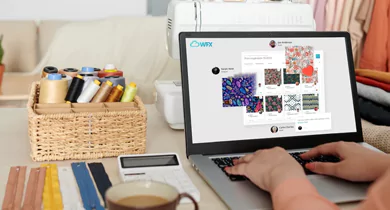
Your good ideas don’t wait around for you to sit back down at a desk. WFX Click, the mobile app that comes with WFX PLM, lets your design and development teams snap a fabric, a trim, a color palette, whatever caught their eye, and share it with the team in minutes. Build a photo storyboard or send a single image. That reference material then lands in the same artwork gallery your team searches later, tagged by attribute like lace, print, or embroidery, and stays connected to the product data that shows up in tech packs and costing. It doesn’t get stranded in someone’s camera roll, forgotten by the time development actually starts.
 AI Solutions
 Contact Us